Time Events
Displays a countdown to upcoming trading events directly on your chart — with visual alerts and configurable alarms as events approach.
Download Free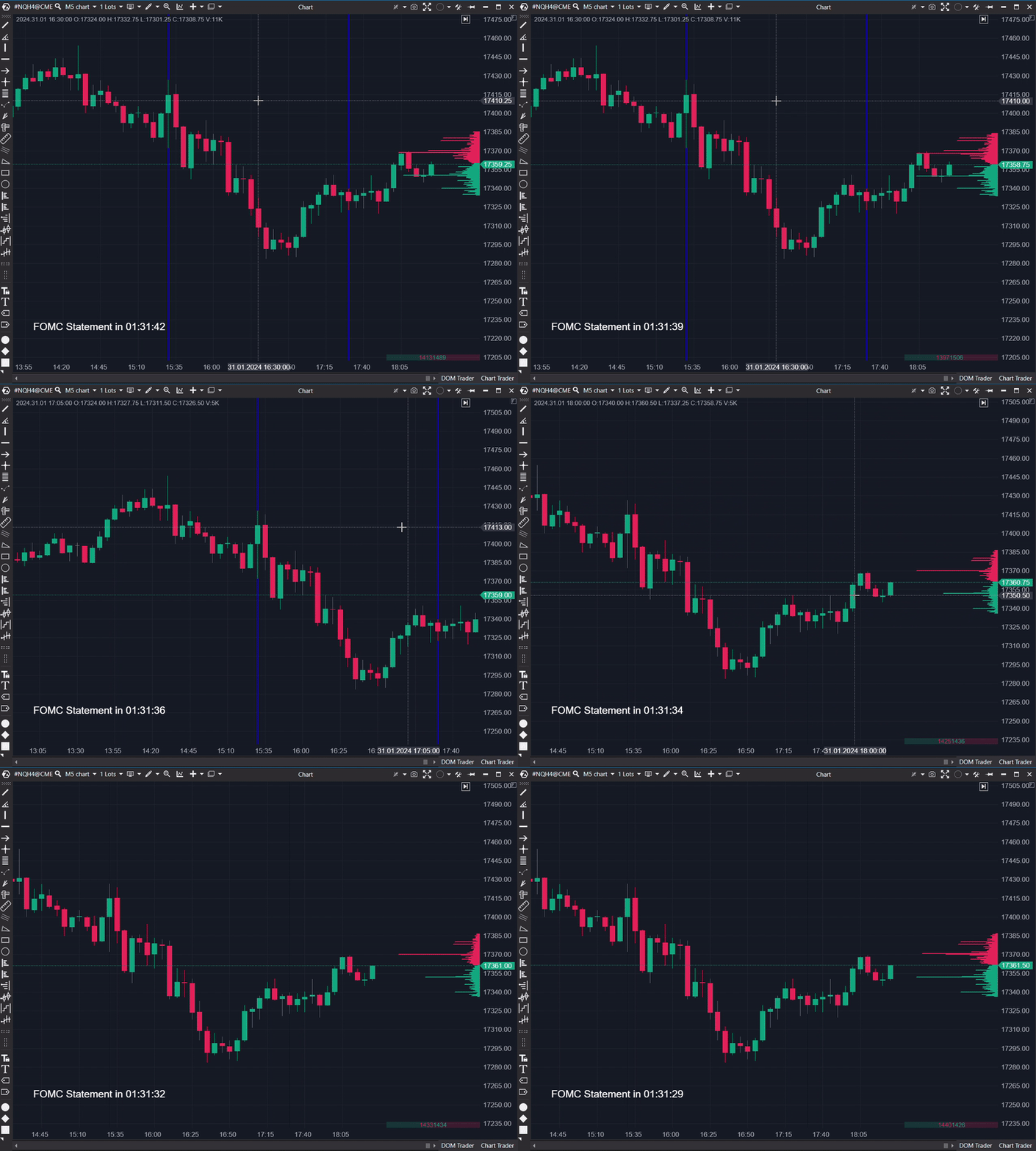
How it works
With this indicator, all upcoming and relevant events can be stored. A countdown to the next event is displayed in the lower left corner of the chart. Vertical lines mark past events of the current day. As the event approaches, the font color and size change to signal an imminent event. Additionally, an ATAS alert can be sent.
What can I use it for?
Economic Announcements
Stay informed about economic announcements like interest rate decisions and unemployment rates. The indicator notifies you before events, allowing strategy adjustments during market volatility.
Earnings Reports
For stock investors: get alerts before earnings releases to help with position management — decide whether to hold, buy, or sell before the numbers drop.
Central Bank Speeches
For forex traders: notifications before central bank speeches allow you to anticipate market movements and adjust your positions accordingly.
Commodity Updates
Commodity traders receive alerts before supply and demand reports like oil inventory data or crop forecasts — giving you time to prepare.
Settings
Recurring Events
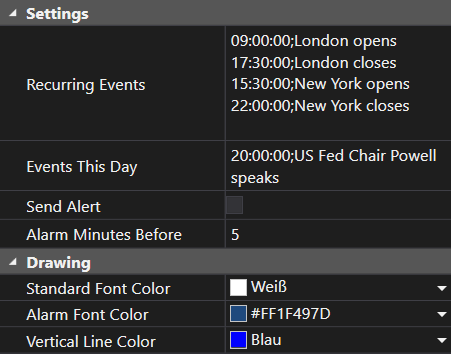
List of times and descriptions of regular market events. Format: HH:MM:SS;EventName. These persist daily.
Events This Day
Events specific to the current trading day. Updated separately from recurring events for easier management.
Send Alert
Enables or disables ATAS alert notifications before upcoming events.
Alarm Minutes Before
Number of minutes before an event when the alert fires and the countdown color changes.
Standard Font Color
Color of the countdown text during normal display.
Alarm Font Color
Color of the countdown text when an event is imminent.
Vertical Line Color
Color of the vertical lines marking past events on the chart.
Frequently Asked Questions
Why are Recurring Events and Events This Day separate?
For easier management. Recurring events stay the same daily, while daily events are updated each morning. Separate management keeps things clean and organized.
Get Time Events
Subscribe to download all indicators for free — including future updates.